tap
- role
- Product design, AI interaction design, Full-stack engineering
- team
- Solo
- my part
- I designed and built the full-stack prototype, including the customer simulator, streamed interfaces, and bounded action system.
overview
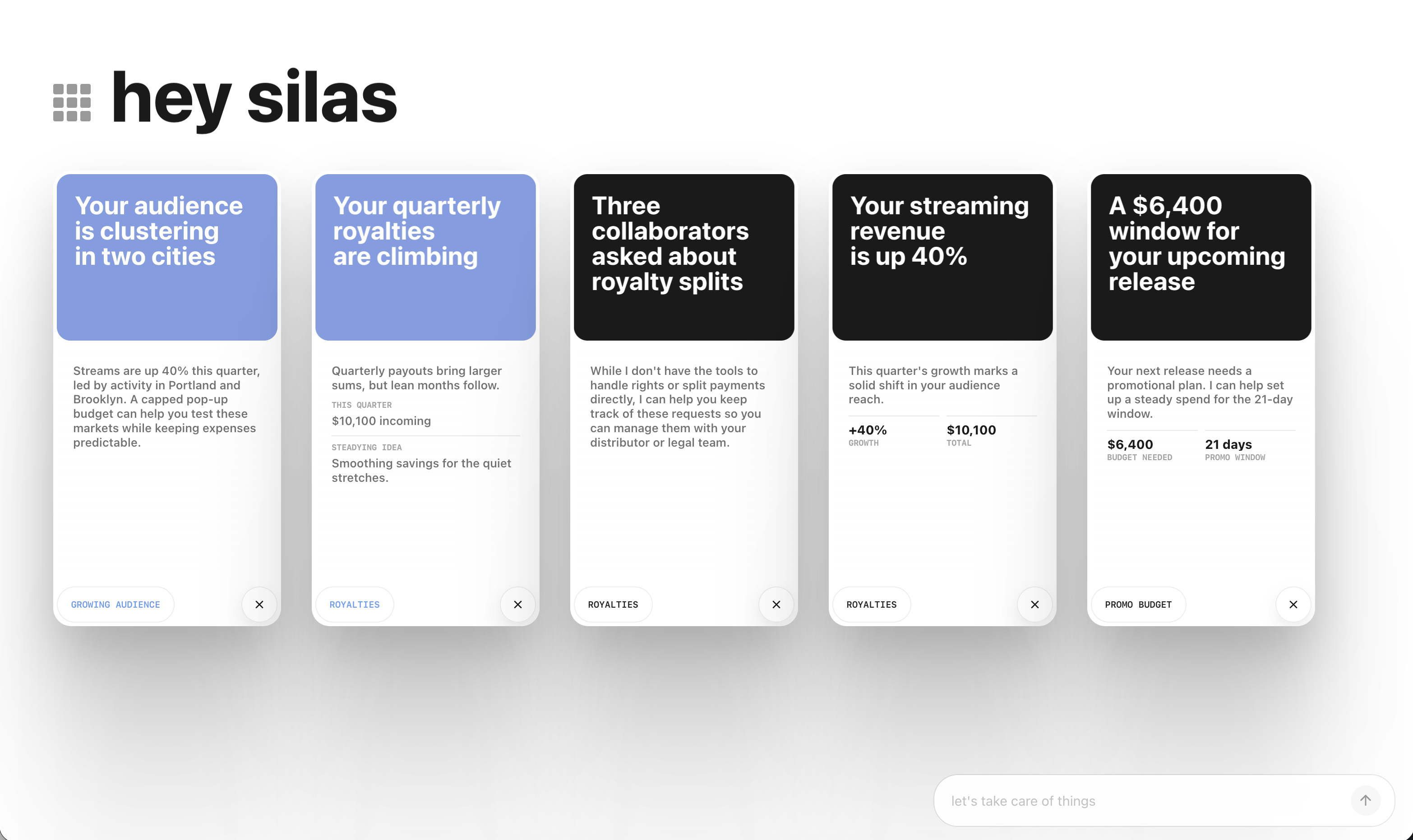
Tap asks when an AI should interrupt and what it can do after someone pays attention. Each tap is a small model-written update tied to a simulated customer situation.
I designed and built the full-stack prototype, from the customer simulator and scenario controls to the streamed interfaces and action handlers. I could change the customer’s situation, fire a trigger, and inspect the resulting interaction.
a reason to interrupt
Cash stress made restraint important: a business owner might need a warning, but an incoming payment could make a loan unnecessary. I wanted to test whether the system could offer help without treating financial pressure as a sales opportunity.
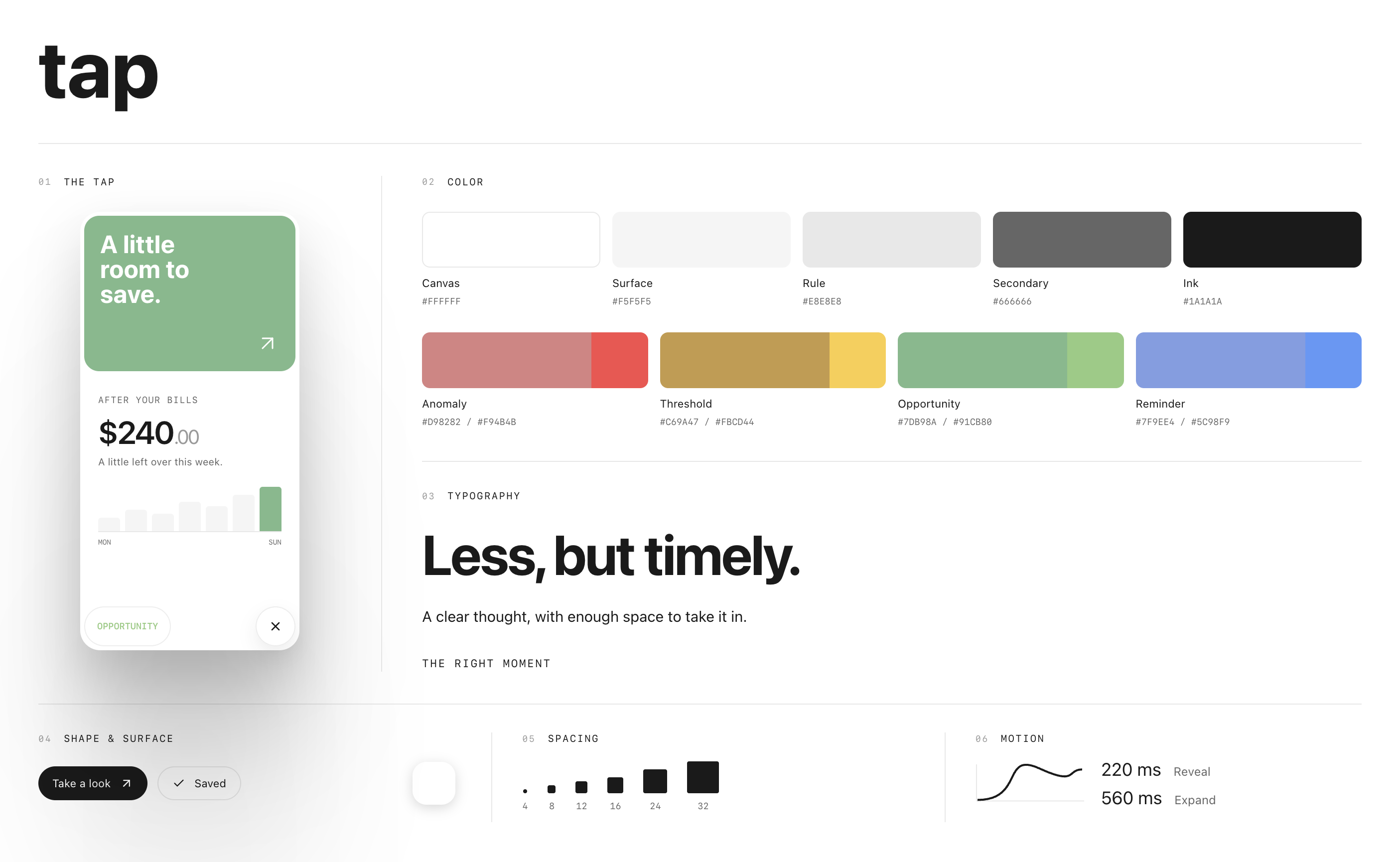
I kept the first tap small: generated copy and a read-only preview, with urgency and interaction controlled by the app. Opening it gives the follow-up room to explain and offer an action.
Scenario flow
01 Situation
- Host
Simulated customer state
A business has more demand than its team can cover, and a new hire ready to start.
- Host
Context + available actions
The server supplies customer facts and the scenario, then computes which actions are available.
02 Attention
- Model
A small heads-up
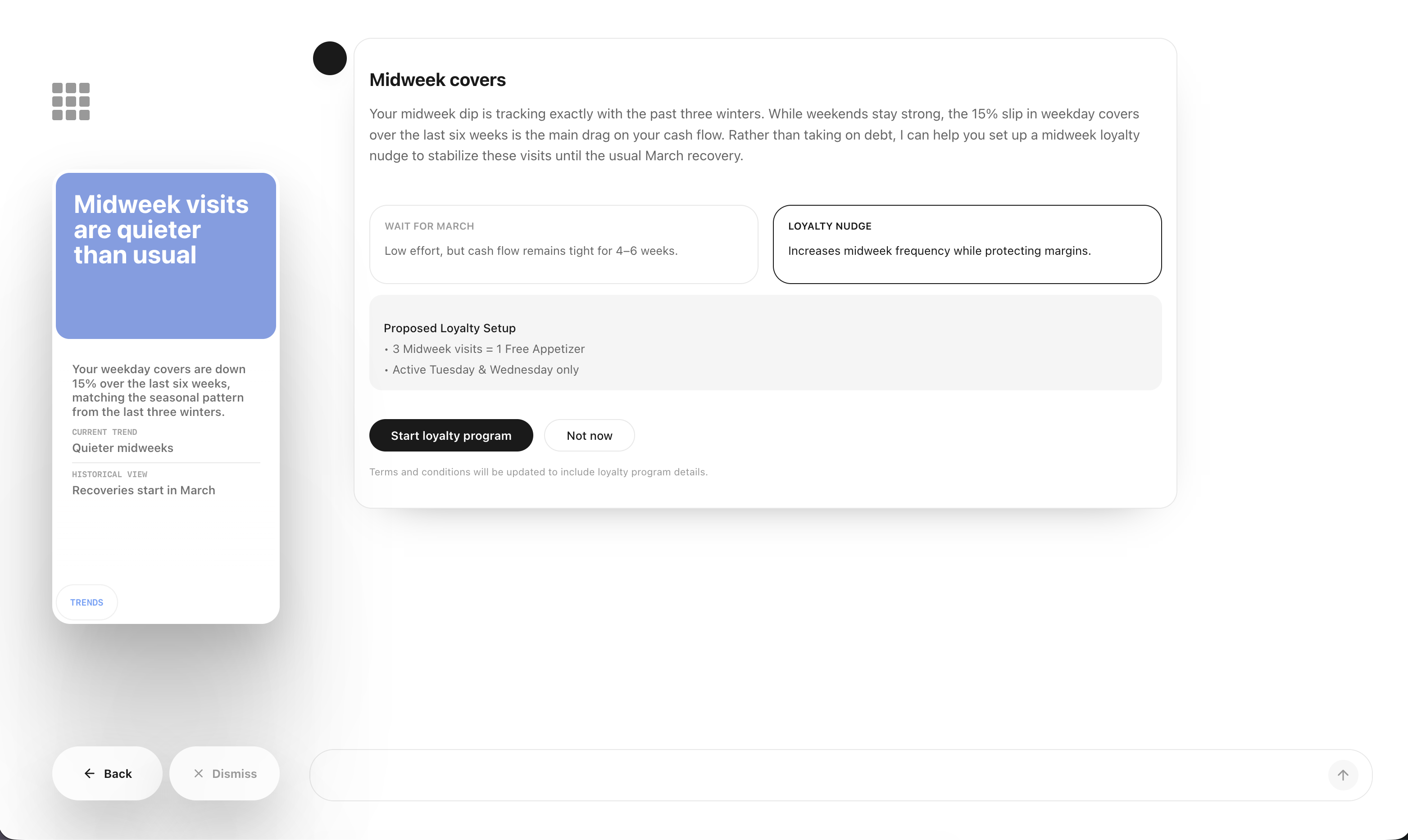
Generated copy and a read-only preview appear inside the app’s tap card.
- Model
Opened follow-up
Opening it starts a second generation with the source tap and conversation context. The host checks protocol and action bindings as it streams.
03 Action
- Host
Check + dispatch
After confirmation, the host checks the requested action and calls its adapter. Here: create a team-member record.
- Model
Result → confirmation
A successful mock or sandbox result feeds an action-free confirmation. The sandbox action creates a team record, not a payroll enrollment.
next
Tap is still a proof of concept. Customer situations are simulated. Most actions return mock results; selected adapters connect to sandbox APIs. The prototype records acceptance and decline, not whether the interruption helped. That still needs testing in someone’s day.